

2026 Oct 5th
How to Request a Return
If something isn't quite right with your order, we're here to make the return process as simple as possible. You can request a return directly through your Incontrol Diapers account in just a few steps.
Here's how the process works.
1 Sign In to Your Account
All return requests are managed through your online account. Start by signing in and opening the Account section.

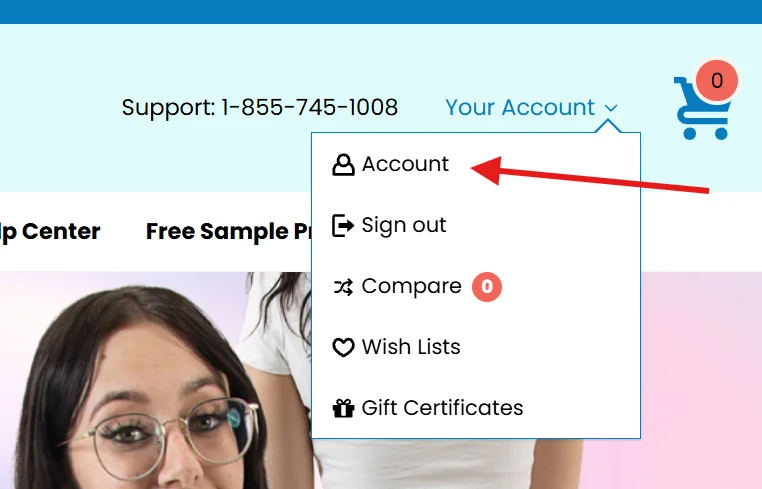
2 Locate Your Order and Select "Return Items"
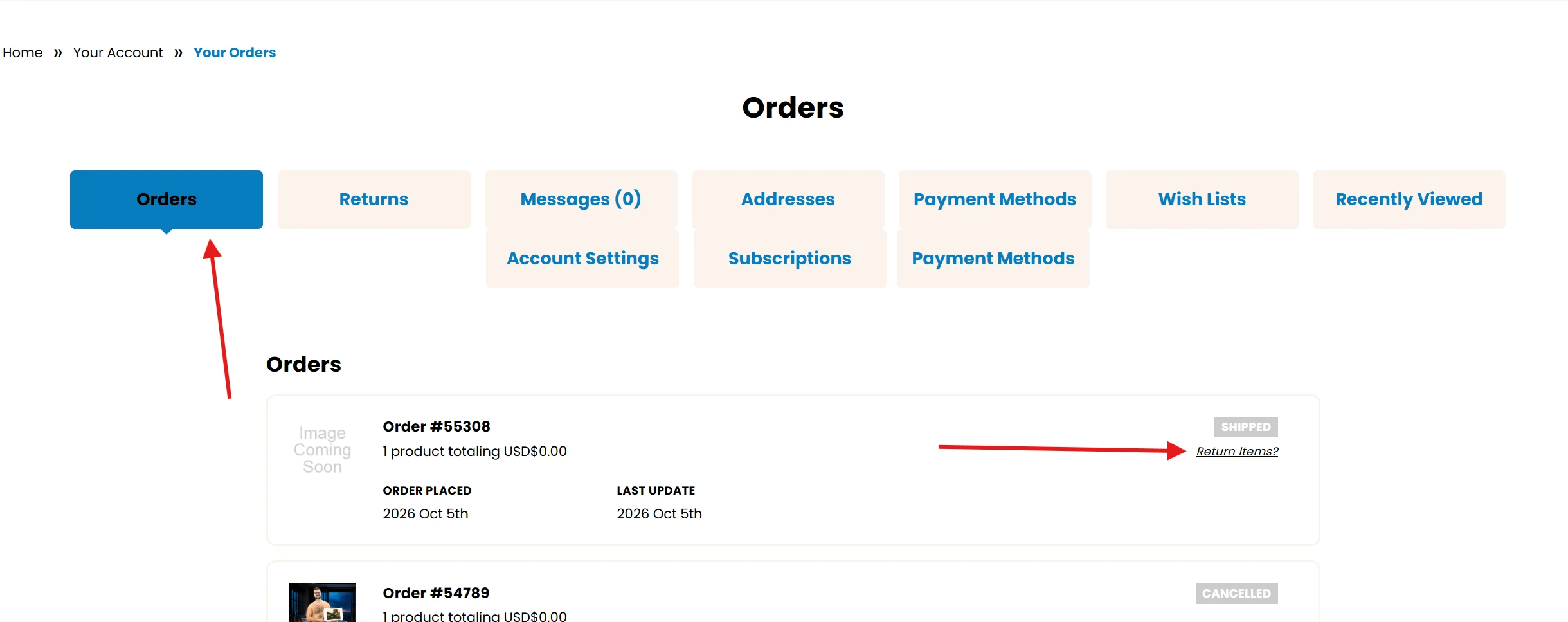
Returns can be requested for each order individually once it has been delivered. Find the order you'd like to return, then look below the Shipped icon for the Return Items button. Select it to begin your request.
3 Choose Your Products and Share the Details
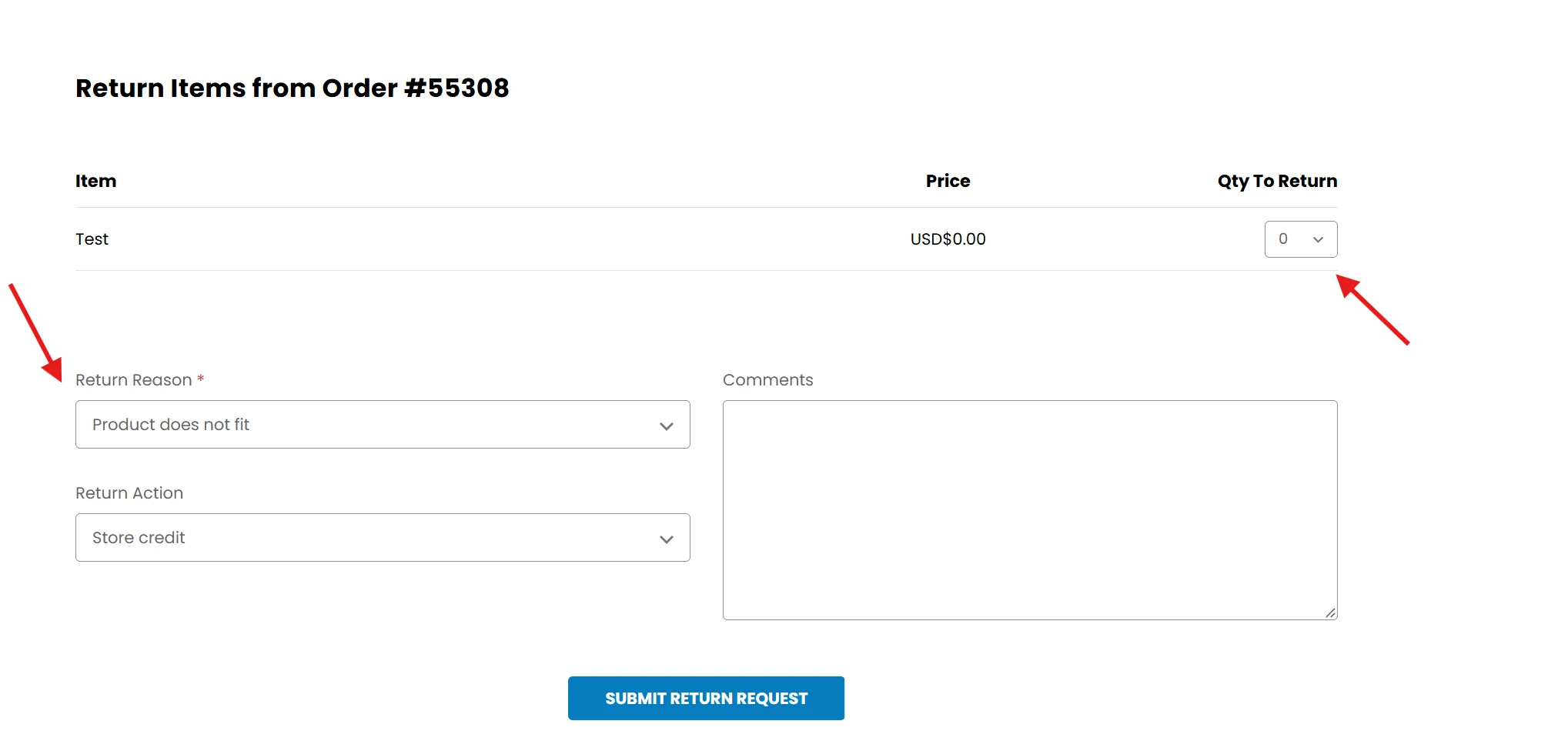
Select the products you'd like to return. If you're returning part of a case, simply enter 1 as the quantity. Then choose the reason for your return from the list provided.
Before submitting, please include a brief note explaining why you're returning the items and describing their condition. These details help our team review your request quickly and accurately.
4 We'll Review Your Request
Once your request has been submitted, our team will review it carefully. When it's approved, we'll send you clear instructions on how to return your items.
Need Assistance?
If you have any questions or would like help with your return, our customer care team is here for you. Every request is handled with care and discretion.